
[21:06:43] ENCOUNTER_START · The Last Wipe · Mythic
ANALYZE.
LEARN.
OVERCOME.
WipeWatchers records every raid pull, M+ run and arena match automatically — video and combat log together. Review any death from any recorder's perspective, clip the moment, and turn tonight's wipes into next week's kill.
Free desktop app · No account needed · Cloud sync optional
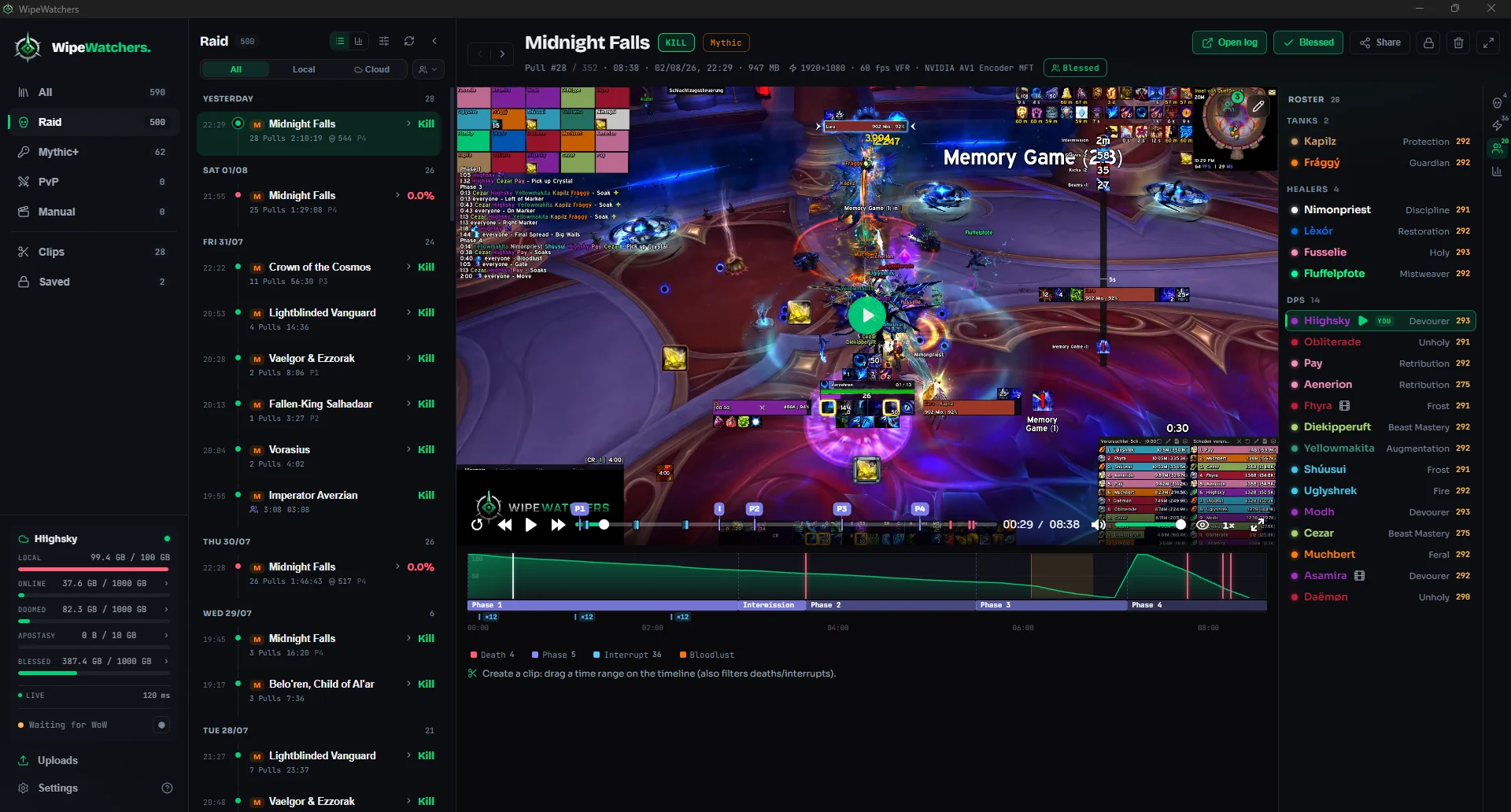
Click the markers in the shot
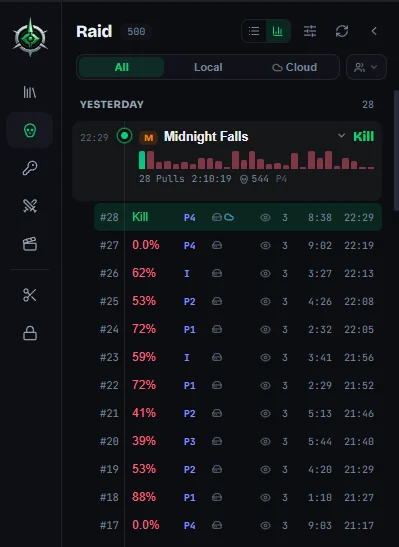
The night, sorted by boss
Every attempt on its own, with result, duration and the run across the whole night — not a folder full of video files.
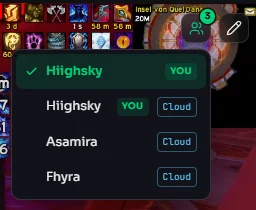
Switch perspective
Everyone in the group who recorded hangs off the same pull. Switching keeps your spot in the video — the same second from someone else's view.
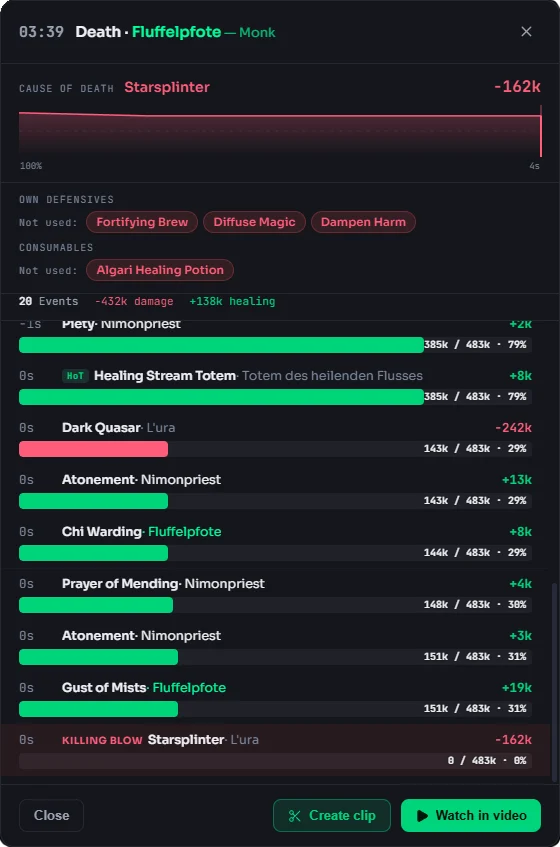
Death list and recap
The right column carries roster, deaths and interrupts. Click a death and its recap opens: cause, run-up, and the defensives you never used.
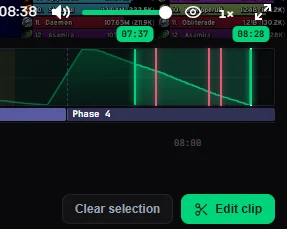
Clip straight from the timeline
Drag a range on the timeline and cut it. The markers on it show deaths, interrupts, boss phases and bloodlust.
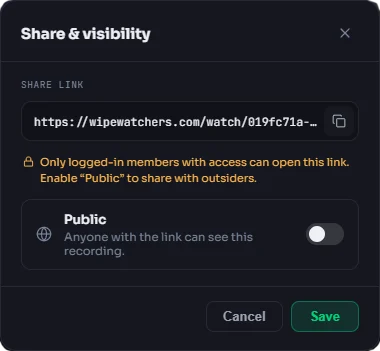
Share with a link
Visibility per recording. The public link plays without an account, on any device.
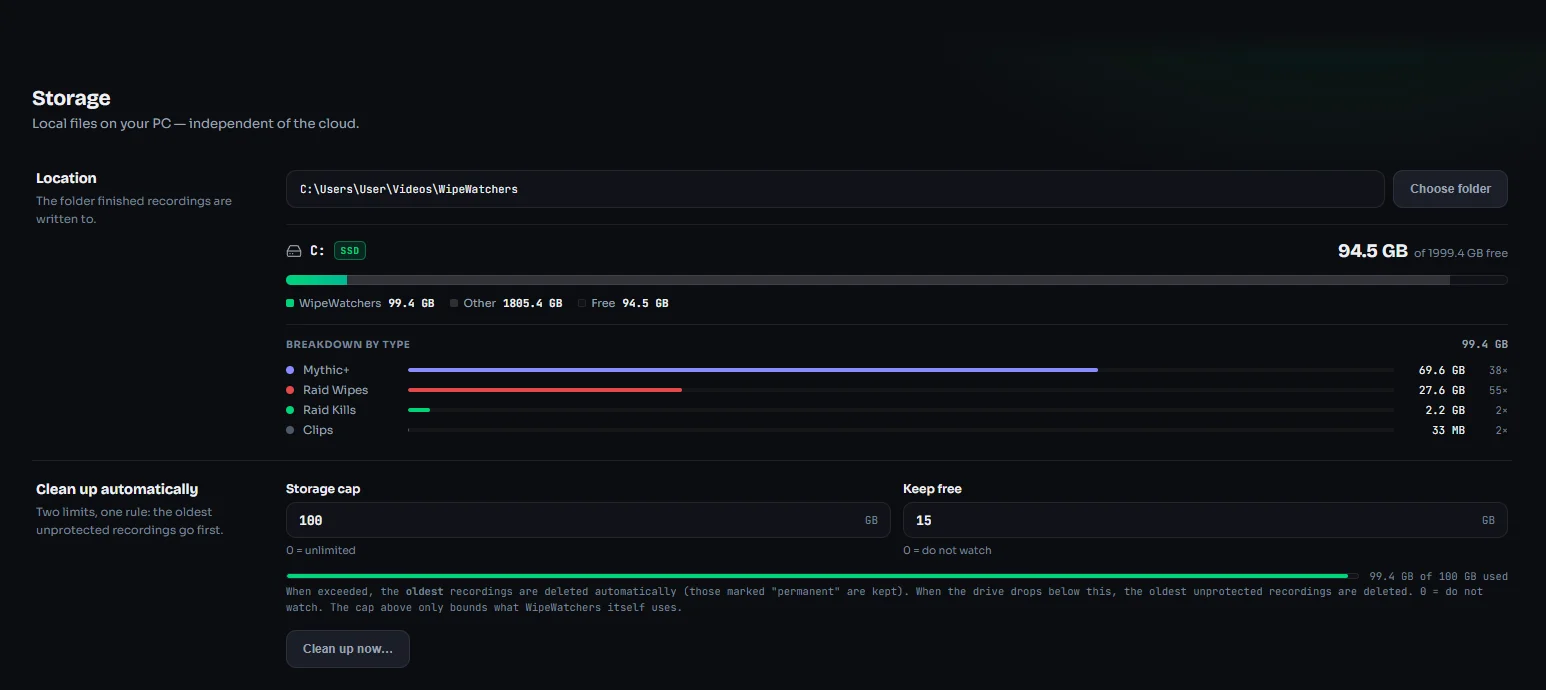
Storage at a glance
What kills, wipes, M+ and clips take up, with a cap and automatic cleanup.
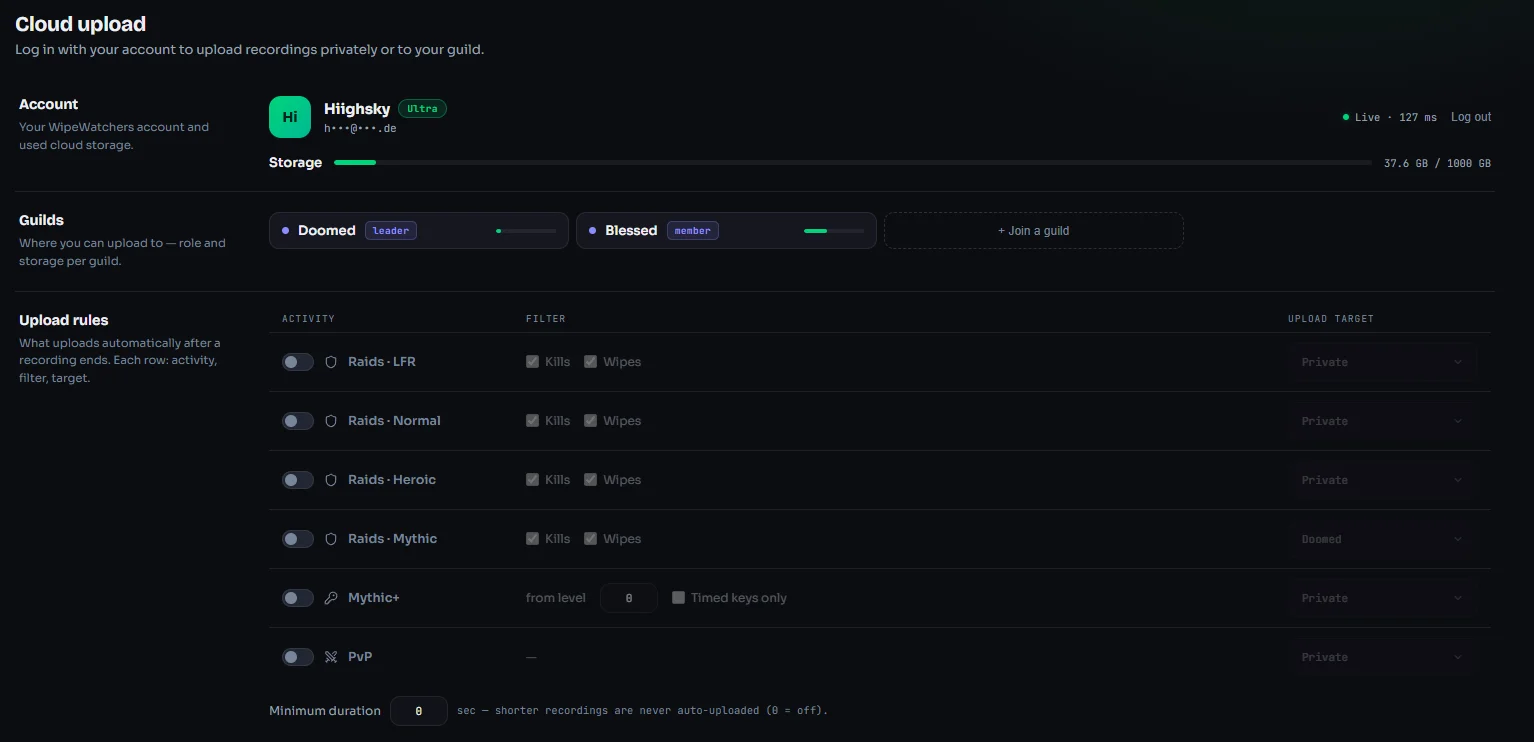
Upload rules
What uploads automatically and where, plus quiet hours and a speed limit.
[00:12] RECORDING STARTED — automatic
You raid.
It records.
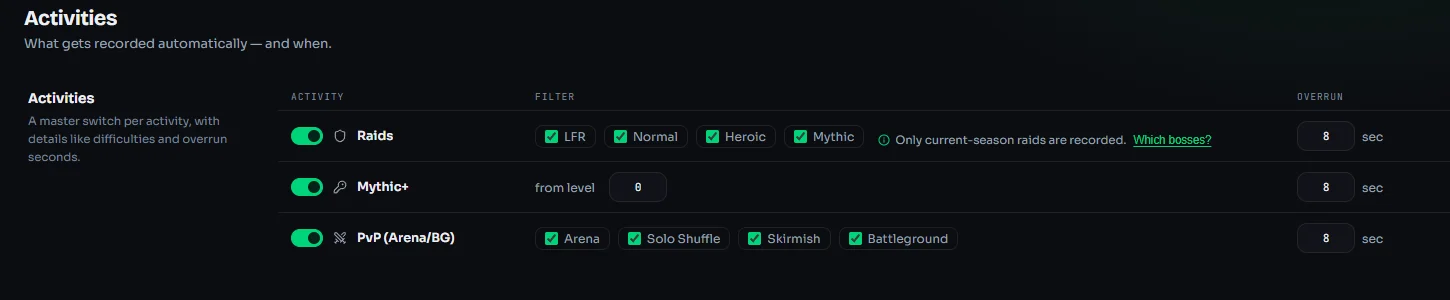
WipeWatchers reads your combat log and starts capturing the moment the encounter does. No hotkeys, no "did anyone record that?", no 40 GB session files to scrub through — every pull becomes its own recording, named, tagged and sorted by boss.
- Starts and stops on its own — the second the fight does
- Raid, Mythic+, Arena and Battleground detection
- Overrun per activity, in seconds
- Local first: recordings stay on your machine until you say otherwise
[03:27] UNIT_DIED — Hiighsky (Cosmic Slam)
Every death,
explained.
Every death opens its recap: the ability that put you down, the damage of the last seconds, and the defensives that were still off cooldown. From there it is one click into the video at that exact moment — or straight into a clip.
- Cause of death with ability, source and damage
- The run-up, hit by hit, down to the killing blow
- Your own defensives and consumables you never used
- Jump into the video from there, or cut a clip
[03:31] PERSPECTIVE_SWITCH → Tank POV
Same pull.
Every recorder's eyes.
Everyone in the group who records shows up as a separate perspective on the same pull — matched automatically by boss, attempt and time. The healer's view the moment it wiped. The tank's view of the deciding mechanic. One click apart.
[05:58] CLIP_MARKED 05:42 → 06:26
Clip it. Mute the yelling.
Ship the link.
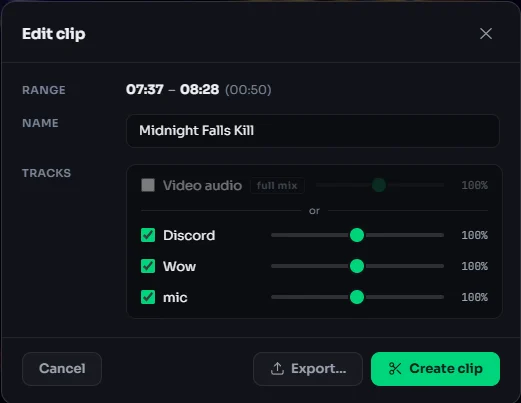
Drag a range on the timeline, export in seconds. Audio tracks are recorded separately — game, voice, music — so the clip of your kill goes public without fifteen people screaming over it. The link plays anywhere, no account needed to watch.
- Range select on the encounter timeline
- Separate tracks: game / voice / music — mute per track when you cut
- Share links with per-video visibility: private, guild, public
- Plays on any device, no codec roulette
[—] BETWEEN PULLS
Wipes aren't failure.
They're data.
Your prog night doesn't end as a folder of video files. Pulls are grouped per boss, every try shows how far you got, and the kill sits right at the top. That's the entire reason this app exists.
Never lose a pull
Upload drops halfway? It resumes where it stopped next time you're online. Every attempt survives.
Your prog stays private
Wipes are private by default. Share with your guild, make the kill public, or lock it all down — per video.
No more full drives
Keep every pull in the cloud without deleting last tier to make room. 10 GB free to start.
[—] FEATURES
That was the tour.
It does a good deal more.
Separate audio tracks, chat covers, talent strings, M+ results, upload rules, guild libraries. The complete list lives on its own page, sorted by area.
[—] STORAGE PLANS
Simple pricing.
No raid leader math.
The desktop app is free forever — record and review locally without an account. Cloud plans add sync, shared perspectives and links. Every plan has every feature; you only choose storage — and whether it's yours or your guild's.
Storage
How much storage do you need?
Nothing expires and nothing is deleted for you: storage is a ceiling. Once you reach it, you clear out or move up a tier.
This plan holds an estimated pulls.
A rough guide only, based on about 0,4 GB per pull. What a pull really takes depends on your recording quality and how long the fight runs, and can differ considerably either way.
Just trying it out?
Start free, move up later.
No feature maze: you get storage and see whether it fits your raid.
- 10 GB
- cloud storage
- 30 days
- recording history
- Unlimited
- members upload & watch
Personal and guild vaults are independent — you and your guild can each hold a plan.
Prices include any applicable tax. · Subscriptions renew automatically and can be cancelled anytime, effective at the end of the billing period.
[—] FAQ
The questions that always come up.
Answered once.
If something is missing here, it is either in the manual or one question away on Discord.
Money and accounts
What does WipeWatchers cost?
The desktop app is free and stays free. Recording, death recaps, meters and clips all run on your own machine at no cost. There will always be free cloud storage as well, currently 10 GB. Whether it stays at that size gets decided after the beta. You only pay once that is not enough for you.
Do I need an account?
Not for recording and reviewing. Without signing in, everything stays local on your drive. You need an account once you want recordings in the cloud, perspectives shared with your guild, or links you can send.
What happens to my recordings if I cancel?
Your account drops back to the free plan, and its retention applies from the end of the contract. If you are moving to another provider, tell us: the annex of our terms then gives you a 30-day transition period and another 30 days to download everything, and nothing is deleted in the meantime.
Technical
Windows says the app is unsafe when I install it. Is it?
No. The blue "Windows protected your PC" box comes from SmartScreen and only means Windows does not recognise the publisher. It shows up for any program without a purchased signing certificate that has not been downloaded very often yet, and it says nothing about whether the file is harmful. Click "More info" and then "Run anyway". Please only take the installer from the download button here on the site, so you know where it came from.
Do I need to change anything in WoW?
Two things. /combatlog turns the combat log on, and WoW turns it back off on every restart, so most people use an addon for it. You also need advanced combat logging under Options, Network. Without it the app still records, but with no roster, no death recap and no meters.
My video is black. What is wrong?
Exclusive fullscreen. WipeWatchers captures the WoW window, and in exclusive fullscreen Windows will not hand the picture over. Switch the graphics options to windowed or borderless and it works.
Does recording cost me FPS?
Barely. The graphics card does the encoding, your CPU stays with the game. There is a maximum-compatibility fallback, but that one runs on the CPU and will cost you frames. You only need it if GPU encoding refuses to work on your machine at all.
How much space does a recording take?
Mostly it comes down to how long it runs. A raid pull takes a few minutes, a Mythic+ run half an hour or more, so the files are nowhere near the same size. Two GB is the upper end, not the norm. Every quality level shows you up front what one recording costs, and old ones clear out on their own once you hit your limit.
Is there a Mac version?
No. There is a Windows build for 64-bit systems only, and a Mac build is not planned either.
Guild and privacy
Can my guild see my wipes?
Only if you want them to. Every recording starts out private. You decide per video whether it stays private, goes to the guild, or gets a public link.
Does everyone in the guild need the app?
No, the app runs for each person on its own. But you only get perspectives from people who record themselves, so every extra teammate makes the pull more complete.
Does guild storage count against mine?
No, the two are completely separate. You can have a personal plan and your guild its own, and neither touches the other.
[08:00] ENCOUNTER_END — SUCCESS
That's how the night should end. Download the app, raid like you always do, and review your first pull tonight.
Free · No account needed · Open Beta